
# How do I sync order, inventory, and fulfillment data with GLO/NAV?
Once GLO/NAV is successfully connected, the Warehouse Connector starts uploading order and product data and downloading inventory, customer, and fulfillment data from the GLO/NAV.
To sync order, inventory, and fulfillment data with GLO/NAV:
Click on the Settings icon and click Edit on the menu to provide Sync Settings details.
The GLO/NAV connector details page is displayed.
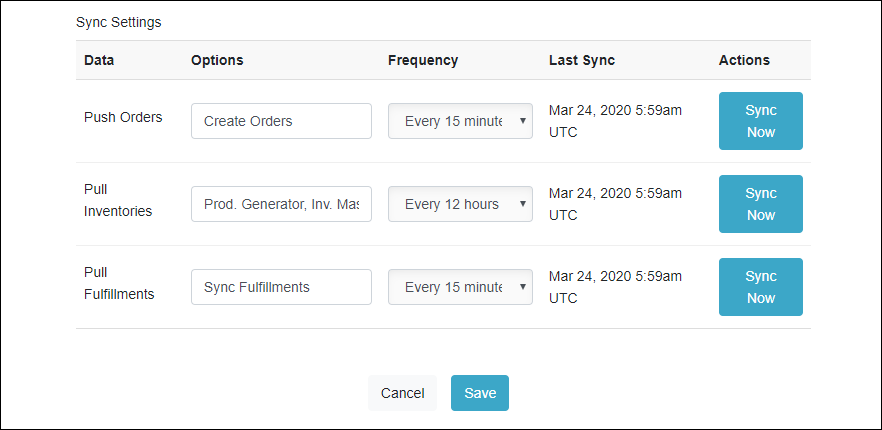
Select the frequency at which you want to sync the data between Warehouse Connector and GLO/NAV.
Click Sync Now to sync the data immediately.
Click Save when you have finished configuration for all of the sync settings.
Note: The Inventory sync will automatically create and remove connector products within WHC. If GLO/NAV fails to send product information for an SKU the connector product will not be available to map to.