
# How do I get credentials to access the Amazon MWS?
You need to log into the Seller Central account and grant access to utilize the MWS. This process creates a unique MWS Auth Token that is used to connect your Warehouse Connector account and the particular seller account. This information will be used later on in the Warehouse Connector configuration process, so be sure to keep a record of it.
To Generate MWS Auth Token in Amazon:
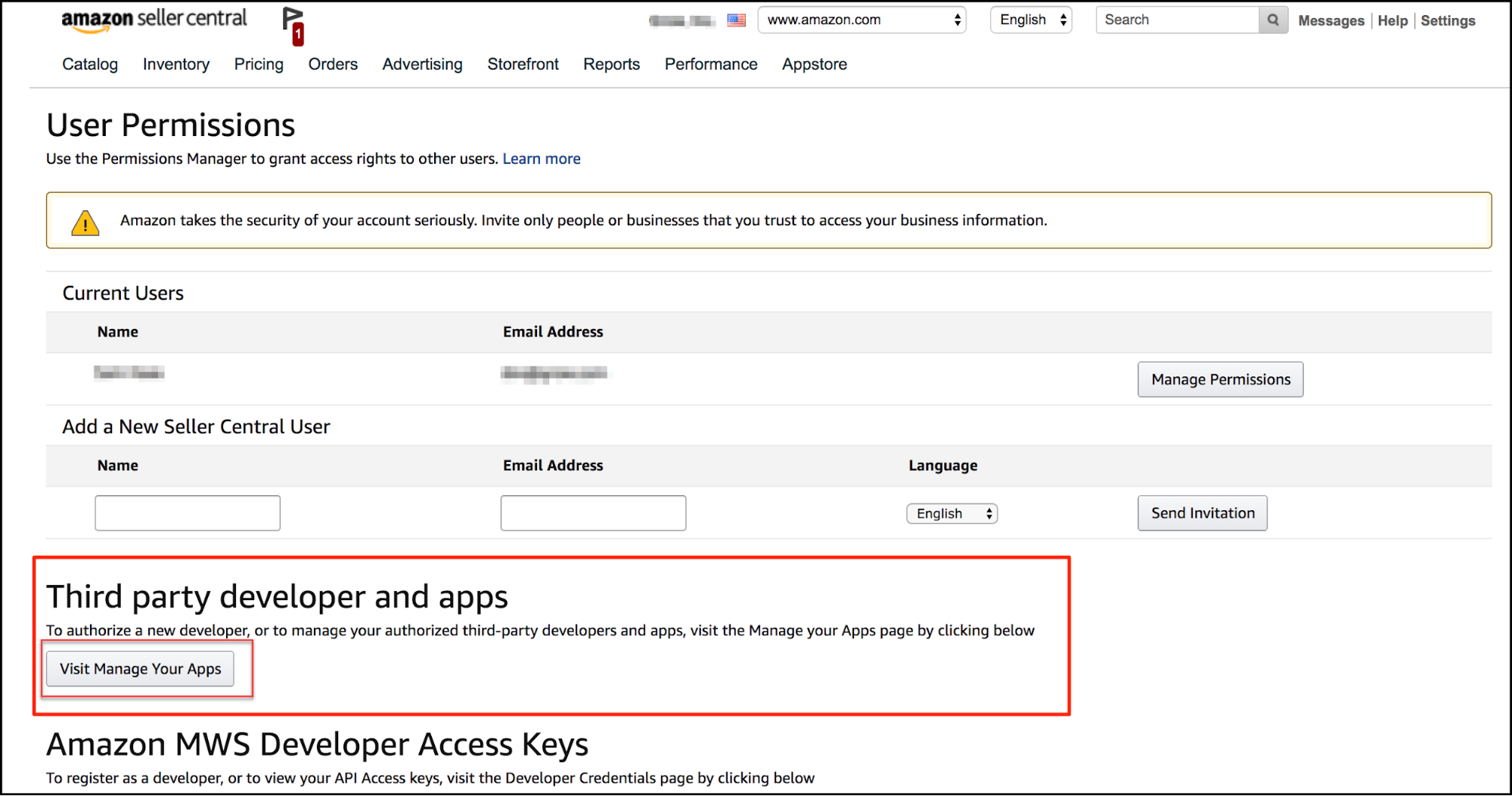
Log into the Amazon Seller Account you wish to integrate with Warehouse Connector and select Settings > User Permissions.
Scroll down to the section that says Third party developer and apps and click Visit Manage Your Apps button.
Note: The owner of the Amazon account is the only one who will see the developer area on the User Permissions page. Not even a full access super-admin can see it, only the owner.
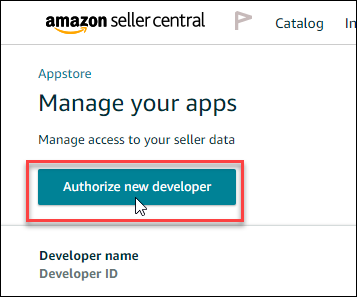
Click the Authorize new developer button.
Get in touch with the Warehouse Connector support team for generating the API credentials of Amazon.
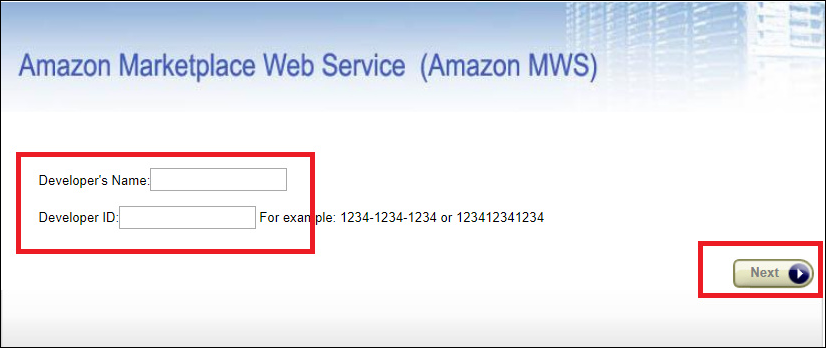
Enter the Developer Name and Developer ID and click Next.
Accept the Amazon MWS License Agreements and click the Next button.
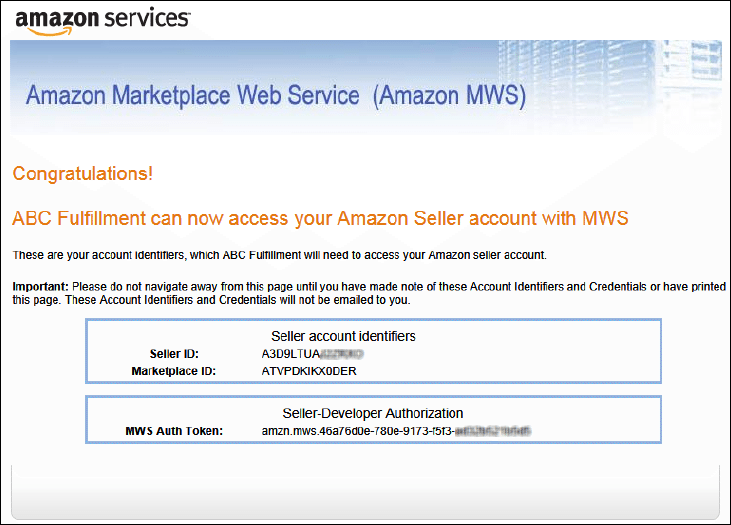
Copy the account identifiers (Seller ID, Marketplace ID, MWS Auth Token) and use them to configure the Amazon Connector in Warehouse Connector.
You can now connect to Amazon using the Seller ID, Marketplace ID, and MWS Auth Token.