
# How do I sync order data with the Amazon store?
To sync orders with your Amazon store, you need to choose which orders from Amazon you want Warehouse Connector to download based on their order status. You can choose to sync Pending, Unshipped, Shipped, or Cancelled orders.
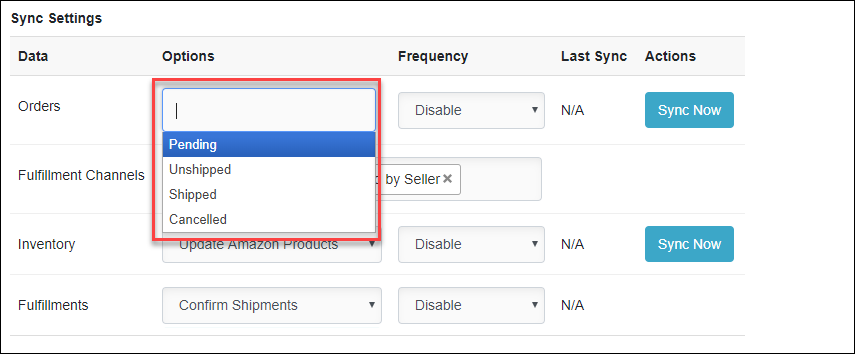
To sync orders with your Amazon store:
Click on the Settings icon and click **Edit ** on the menu to provide Order Sync Settings details.
The Amazon connector details page is displayed.
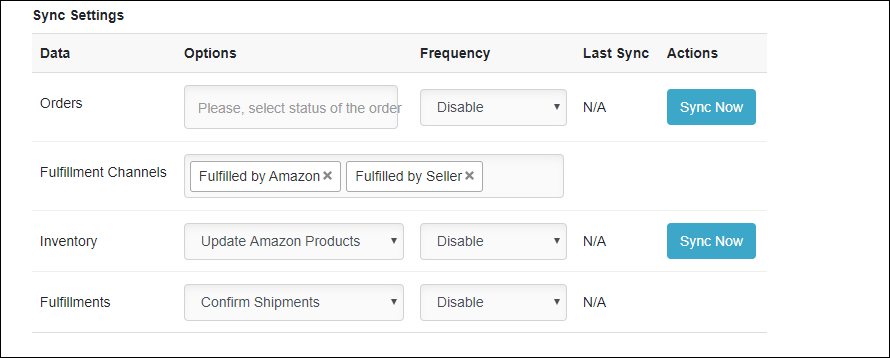
In the Options list, choose the order status that you want to sync.
Enter the following details:
| Field | Description |
| Options | Select the order status that you want to sync. You can choose to sync pending, unshipped, shipped, or cancelled orders. |
| Frequency | Select the frequency at which you want to sync the order data between Warehouse Connector and Amazon. The recommended frequency is Every 1 hour. In this case, the Warehouse Connector will check every one hour for any newly paid orders in Amazon and will update orders in the system accordingly. |
| Fulfillment Channels (Fulfilled by Seller) | As a merchant, you need to fulfill the orders placed on Amazon. |
| Fulfillment Channels (Fulfilled by Amazon) | This option will be used for orders fulfilled by Amazon. This particular setting and function will be more for reporting purposes as the order is already shipped and fulfilled for you by Amazon. |
- Click Sync Now to sync the order data immediately.
- Click Save when you have finished configuration for all of the order sync settings.