
# How do I create a product?
The products that are coming offline or coming from a channel that is not integrated with the Warehouse Connector must be created manually.
To create a new product:
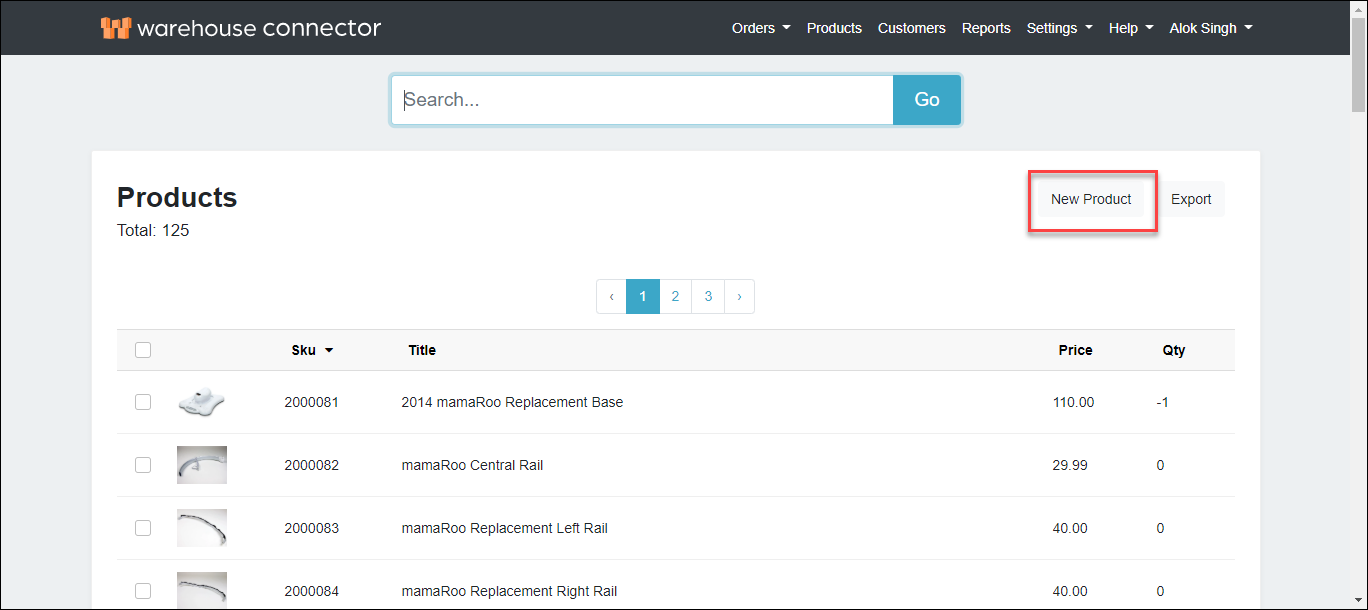
Go to the Products page and click New Product.
On the new product page, enter the following details:
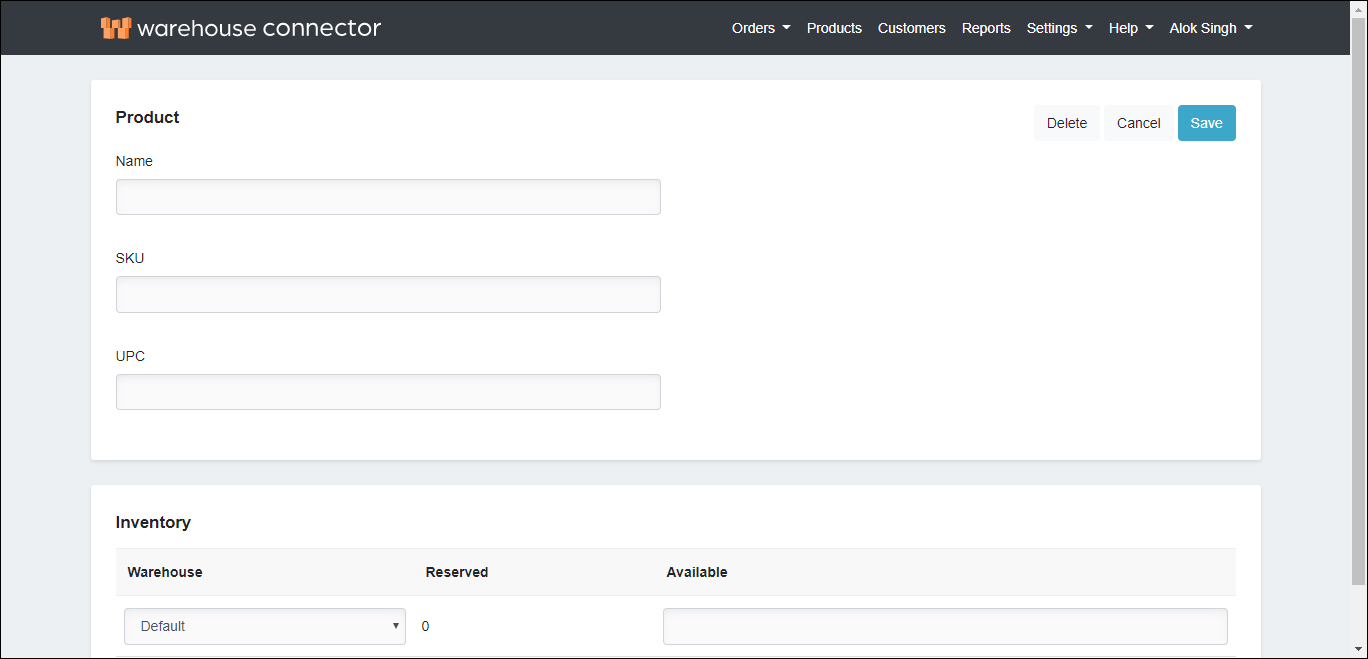
| Field | Description |
| Name | Name for your product as you want your customers to see it. |
| SKU | The product's stock keeping unit that is unique to the product. |
| Universal Product Code (UPC) | A unique numerical identifier for commercial products that is usually associated with a barcode printed on retail merchandise. |
| Warehouse | The physical warehouse where the product is stored. |
| Available | The available product quantity at a warehouse. |
When the Extended Product Information is on in the General Settings page, then enter the following information:
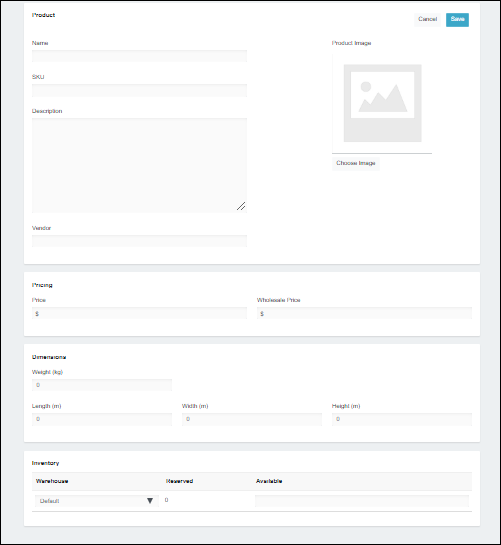
| Field | Description |
| Name | Name for your product as you want your customers to see it. |
| SKU | The product's stock keeping unit that is unique to the product. |
| Description | The description of the product. |
| Vendor | The vendor of the product. |
| Image | The URL for the main image for the product. |
| Price | Sale price of the product. |
| Wholesale Price | The wholesale price of the product. |
| Weight (kg) | The weight of the product. |
| Length (m) | The length of the product. |
| Width (m) | The width of the product. |
| Height (m) | The height of the product. |
| Available | The available product quantity at a warehouse. |
- Next, you can link products to the products in a store such as Shopify.
- Click Save to save your changes.