
# How do I export products to a CSV file?
Warehouse Connector allows you to export a comma-separated values (CSV) spreadsheet of your products from the Products page.
To export products to a CSV file:
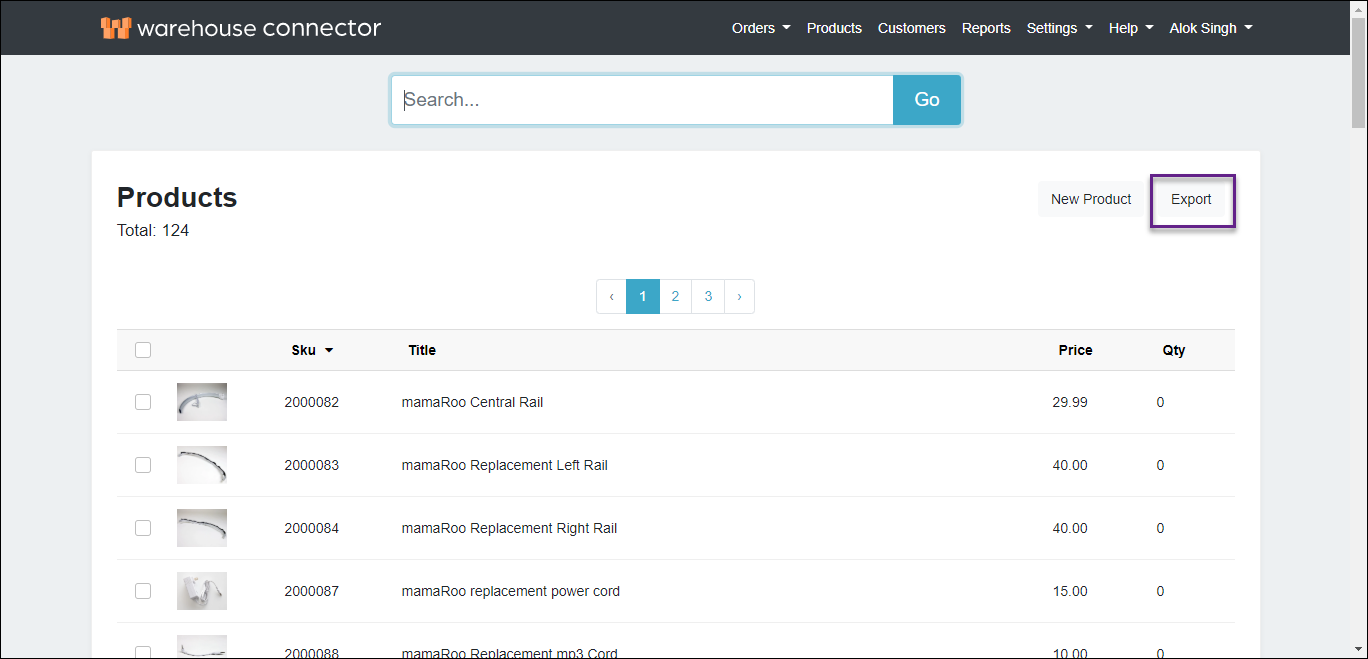
On the Products page, click Export.
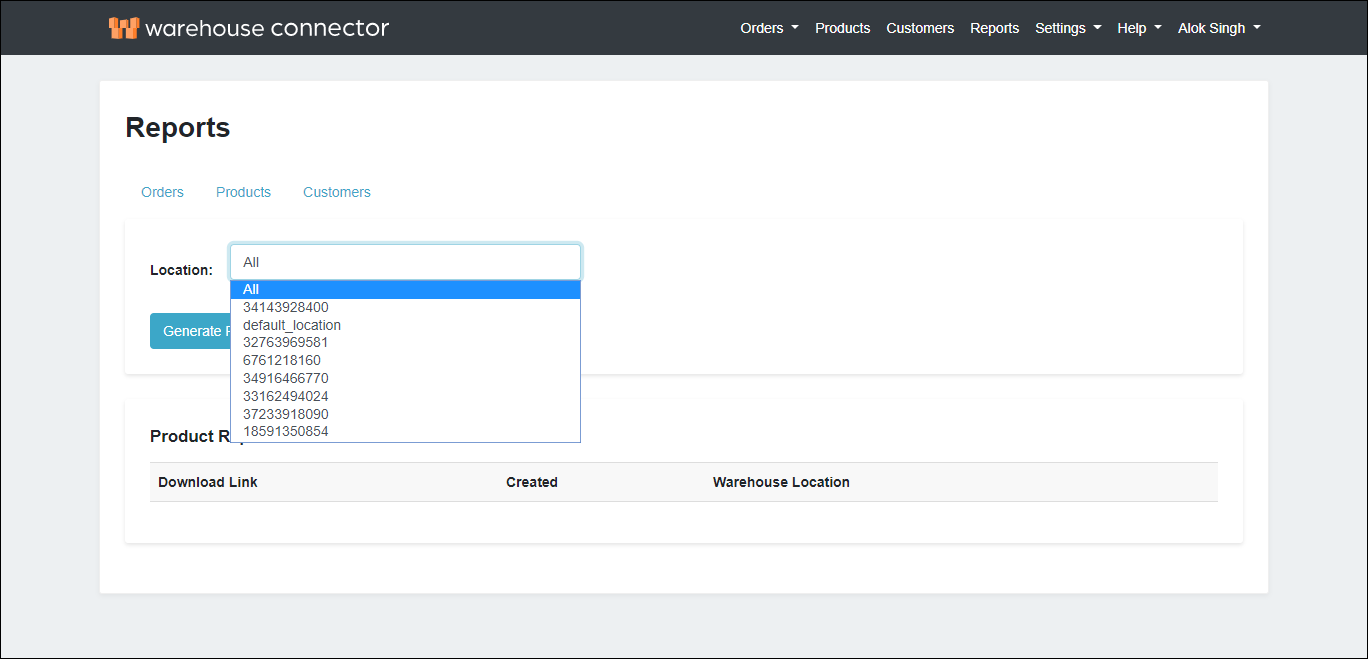
On the Reports page, select the product Location for which you want to generate the CSV file. Select All if you want to generate the file for all the products.
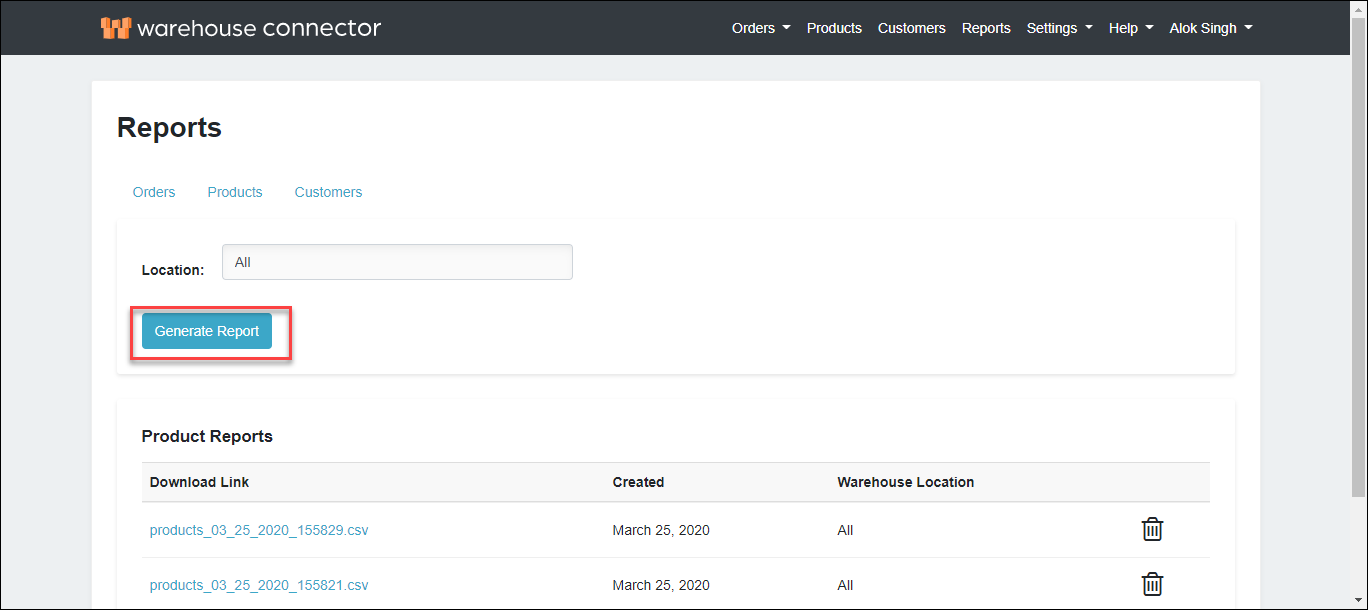
Click Generate Report. The generated CSV is available in the Product Report section as follows.
Product export CSV structure
The following table describes the format of the CSV file that will be created when you export products.
| Field | Description |
| Connector | The connector from where the product is fetched. |
| Product ID | Unique identifier for the product. |
| Title | Title of the product. |
| SKU | The product's stock keeping unit that is unique to the product. |
| Vendor | The product vendor. |
| Quantity | Current in-stock quantity of the product. |
| Price | Sale price of the product. |
| Image | The URL for the main image for the product. |
| Product URL | URL representing the product page on the merchant's website. |
| Location | The product location. |
| Stock ID | The ID of the inventory item. |