
Warehouse Connector Help Return to Warehouse Connector App
GitHub
  • Warehouse Connector Overview
  • Manage Sales Orders
  • Manage Purchase Order
    • How do I sort or search a purchase order?
  • Manage Products
  • Manage Customers
  • Configure General Settings
  • Shopify Store Integration
  • Amazon Store Integration
  • NetSuite Integration
  • MasonHub Integration
  • GLO/NAV Integration
  • Impress Integration

# How do I sort or search a purchase order?

If you have a large number of purchase orders, then you might want to sort or search the purchase orders to make it easier to manage them.
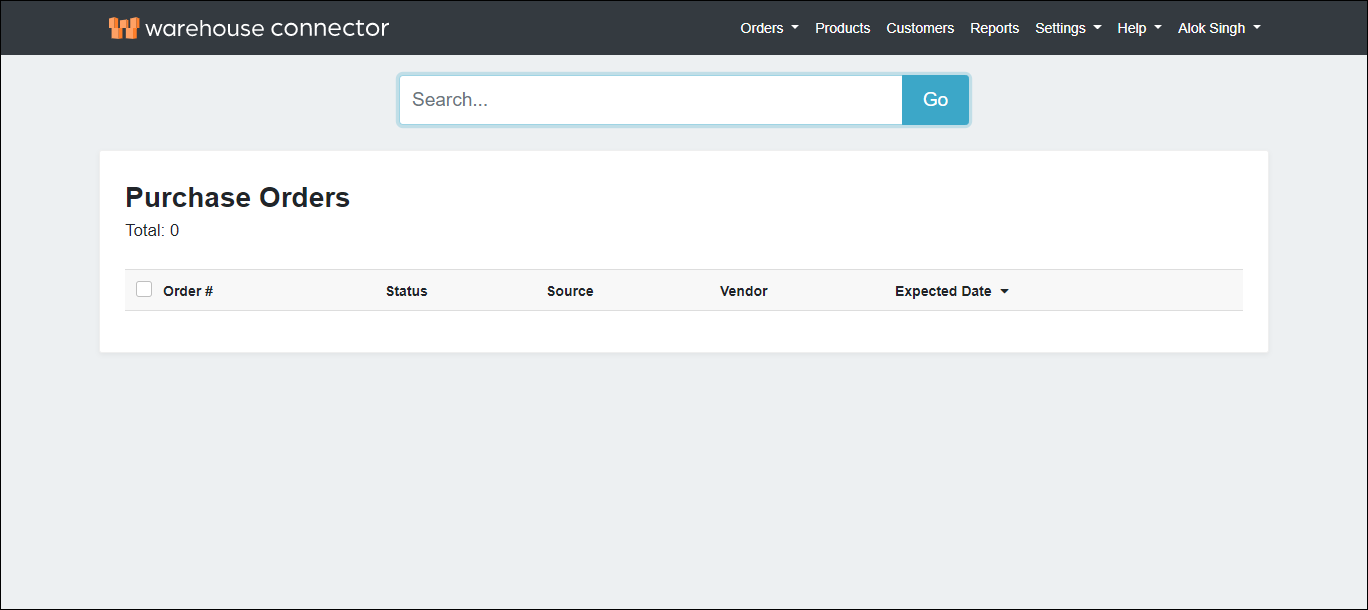
search purchase order

By default, your purchase orders list is organized from newest to oldest. You can also sort your orders by:

  • Order number
  • Status
  • Source
  • Vendor
  • Expected Date

For example, if you want to see all your purchase orders for a Shopify store, then you can sort by Source to view your Shopify orders listed together.

To search for a purchase order:

  1. Use the search box to find your purchase order. You can search for the order based on the order number.
  2. Click the order in the search result to view its details.

← How do I export orders to a CSV file? Product Mapping →

Didn’t find what you are looking for?
Tell us about your project Learn how you can keep your business competitive in an app-connected world. File a support ticket File a support ticket for critical issues that require a higher level of support.
Warehouse Connector © 2020