
# How do I configure notifications?
You can use notifications settings to change what you're notified about and where you're notified.
When you change your notification settings, you can choose to get:
- System notifications - alerts related to the Warehouse Connector such as maintenance.
- Order sync notifications - alerts related to order synchronization.
- Product sync notifications - alerts related to product synchronization.
- Error notifications - alerts related to errors.
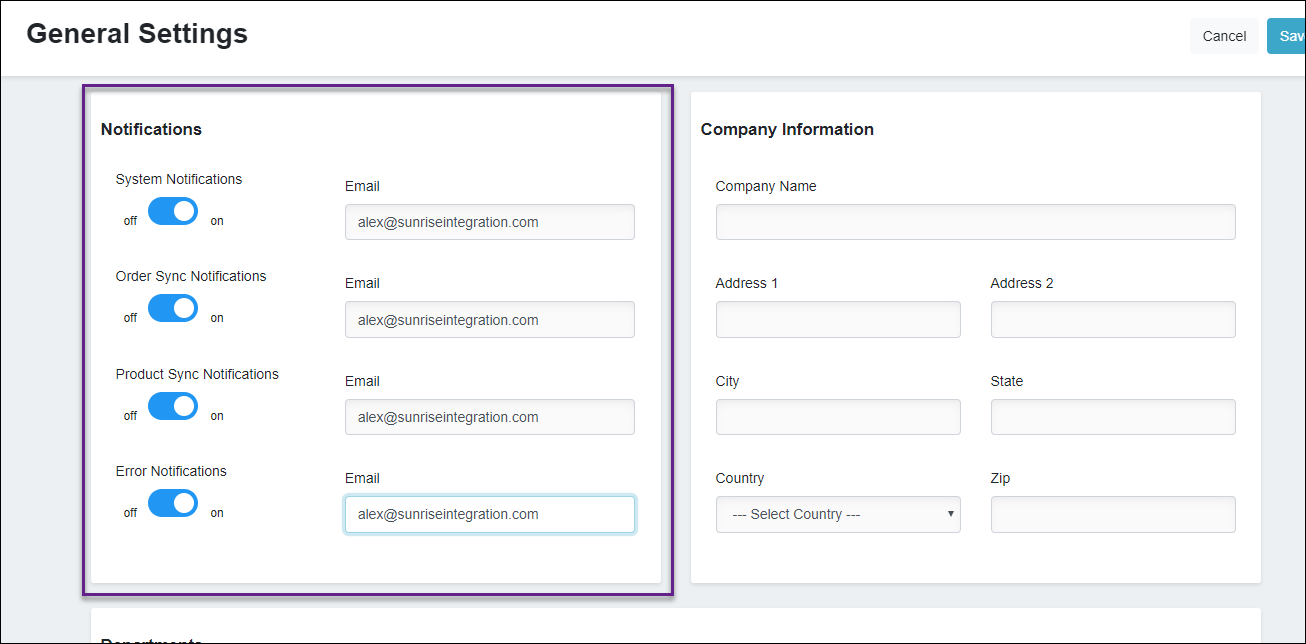
To configure notifications:
- In the Notifications section, you can see a number of toggles for various types of notifications. Turn them on and off as you need. If you don’t want any, make sure they are all toggled off.
- Use the Email textbox to enter the email address where you want to receive the notifications.
- Click Save to save your changes.