
# How do I configure the unit system, weight unit, and length unit?
In Warehouse Connector, you can specify whether you want to use imperial units like pounds and inches or metric units like kilograms and centimeters.
You can choose from the following default units of weight and length:
- Pounds (lb) - Imperial system
- Ounces (oz) - Imperial system
- Foot (ft) - Imperial system
- Inch (in) - Imperial system
- Kilograms (kg) - Metric system
- Grams (g) - Metric system
- Meter (m) - Metric system
- Centimeter (cm) - Metric system
Note: The United States uses the Imperial System of inches and pounds.
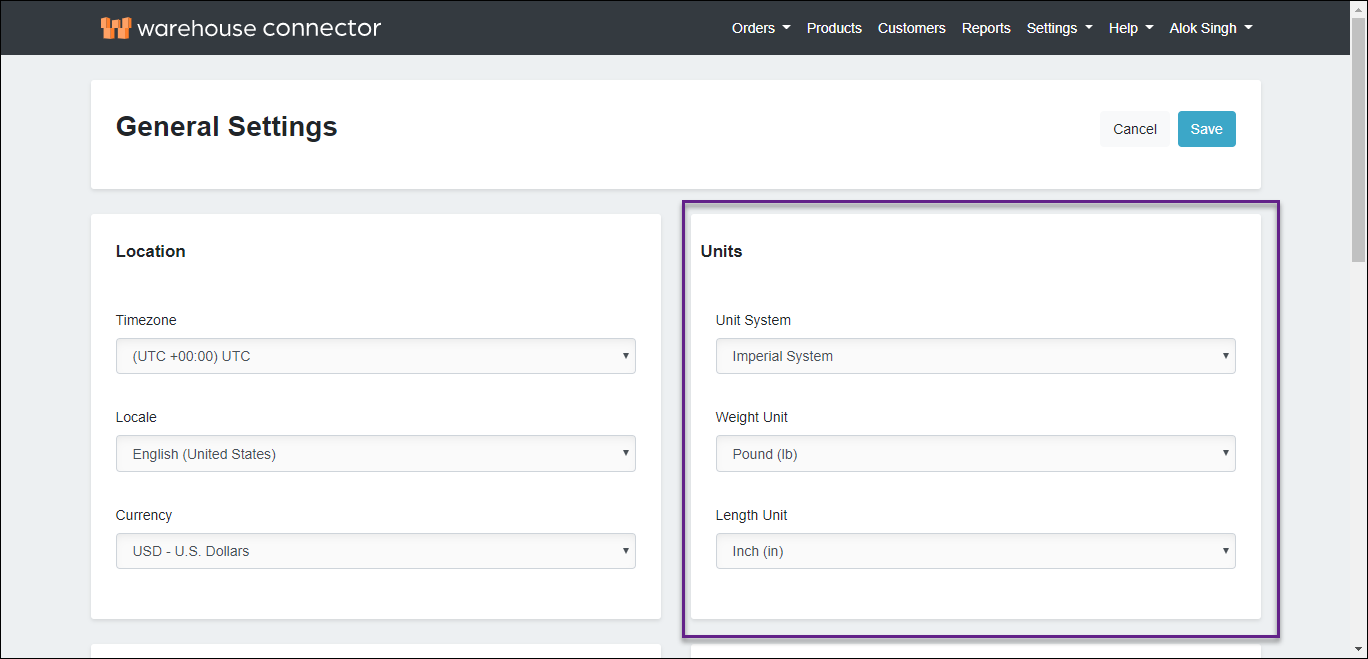
To select the unit system, weight unit, and length unit:
- In the Units section, use the Unit System drop-down menu to select a unit system for the Warehouse Connector.
- Use the Weight Unit drop-down menu to select the weight unit that is most appropriate for your business.
- Use the Length Unit drop-down menu to select the length unit that is most appropriate for your business.
- Click Save to save your changes.