
Warehouse Connector Help Return to Warehouse Connector App
GitHub
  • Warehouse Connector Overview
  • Manage Sales Orders
  • Manage Purchase Order
  • Manage Products
  • Manage Customers
  • Configure General Settings
    • How do I configure time zone, locale, and currency?
    • How do I configure the unit system, weight unit, and length unit?
    • How do I configure orders?
    • How do I configure products?
    • How do I configure notifications?
    • How do I update my business information?
  • Shopify Store Integration
  • Amazon Store Integration
  • NetSuite Integration
  • MasonHub Integration
  • GLO/NAV Integration
  • Impress Integration

# How do I update my business information?

You can use the company information section to enter your legal business name and address.
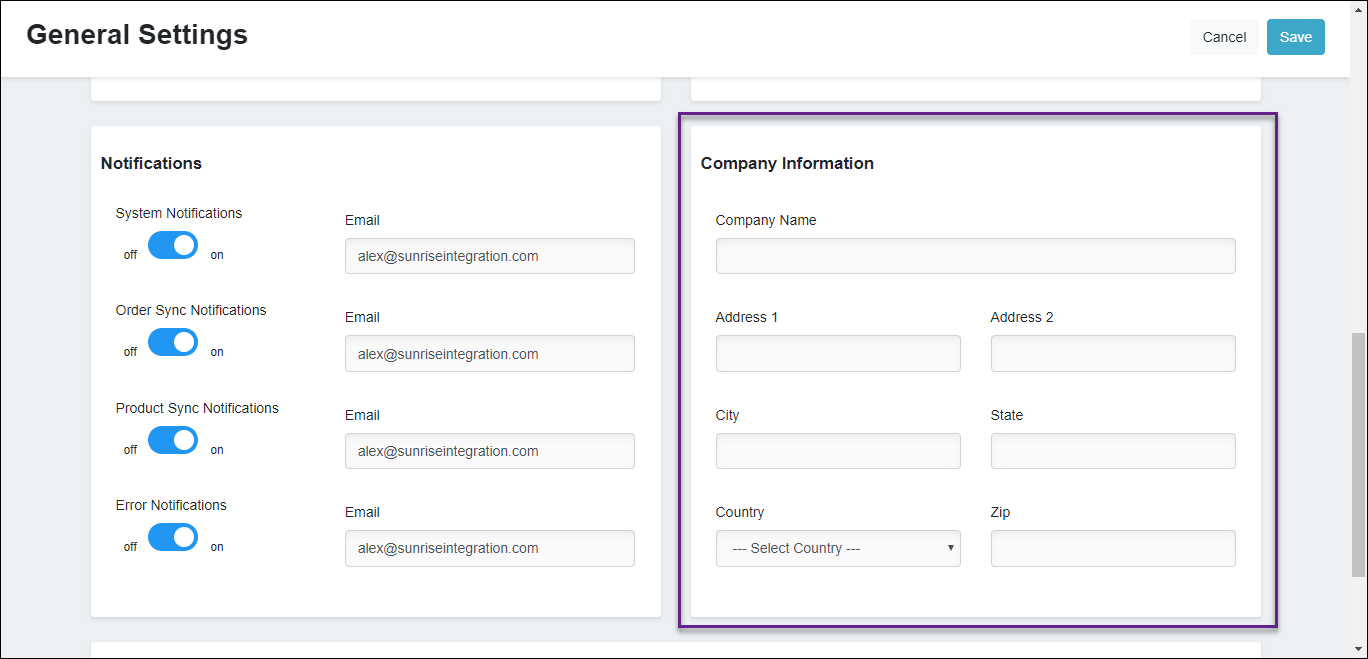
company information

To update business information:

  1. In the Company Information section, enter your legal business name in the Company Name textbox.
  2. Enter the following information:
Field Description
Address 1 The full first line of your address.
Address 2 The full second line of the company’s address.
City The company’s address city.
State The company’s state.
Country The company’s country.
ZIP The company’s ZIP or postal code.
  1. Click Save to save your changes.

You can also add a department of your company in the Departments section by entering the department name such as Quality Control in the textbox and clicking Add Department. Departments

  1. If you want to delete the department, click the delete icon to delete the department.

    delete the department.

  2. Click Save to save your changes.

← How do I configure notifications? How do I create a Private App in Shopify? →

Didn’t find what you are looking for?
Tell us about your project Learn how you can keep your business competitive in an app-connected world. File a support ticket File a support ticket for critical issues that require a higher level of support.
Warehouse Connector © 2020