
# How do I create a Private App in Shopify?
You will need access to the App section in your Shopify Admin panel.
To create a Private App in Shopify:
Log into your Shopify Admin and navigate to the Apps section.
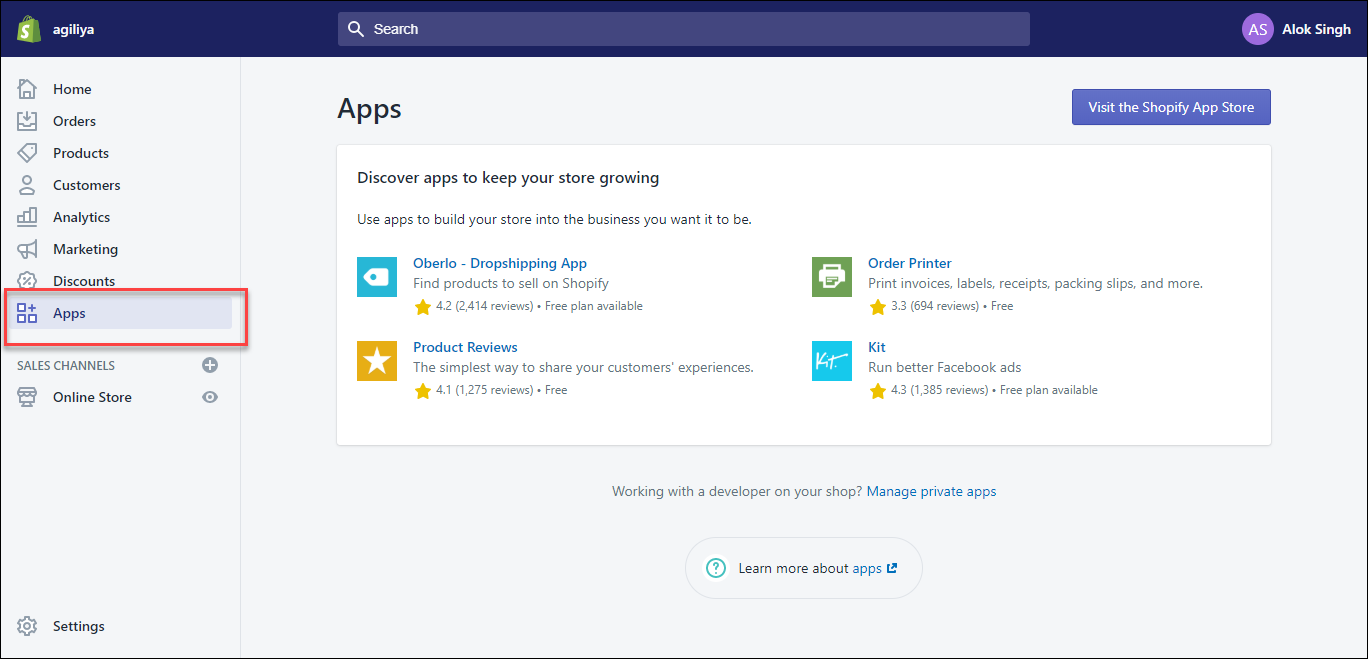
Click on the link Manage private apps found near the bottom of the page.
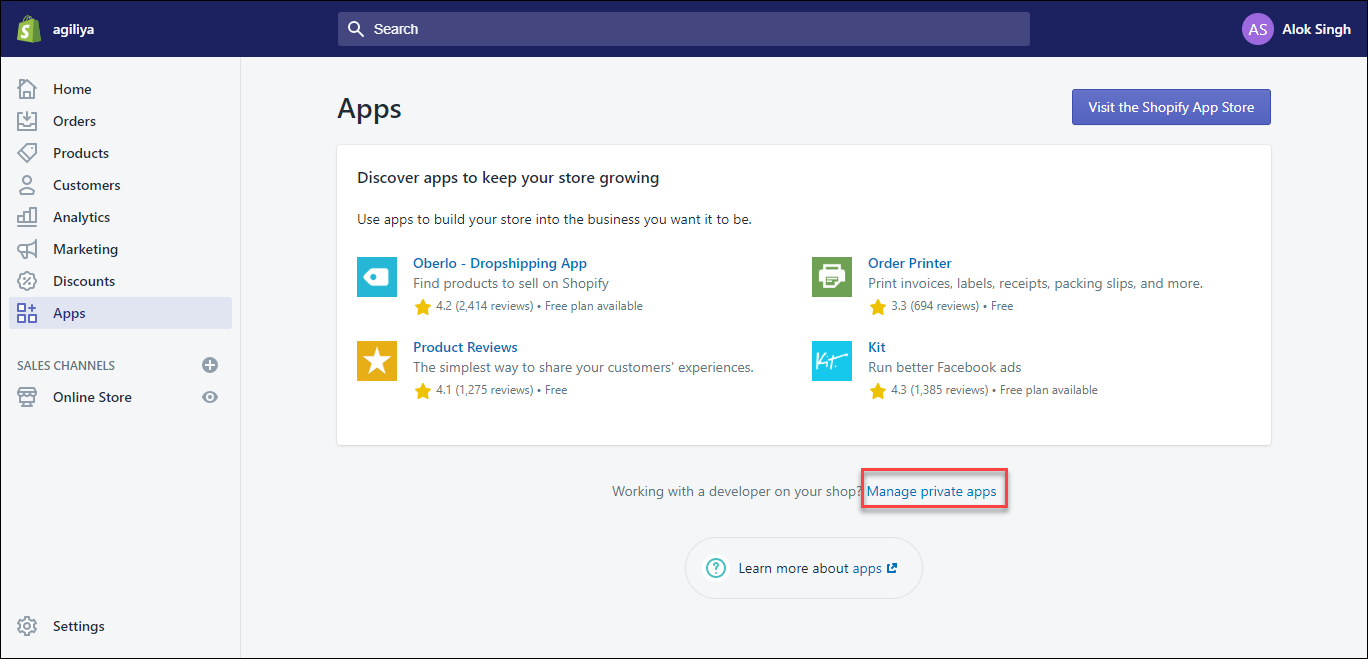
Click the Create a new private app button.
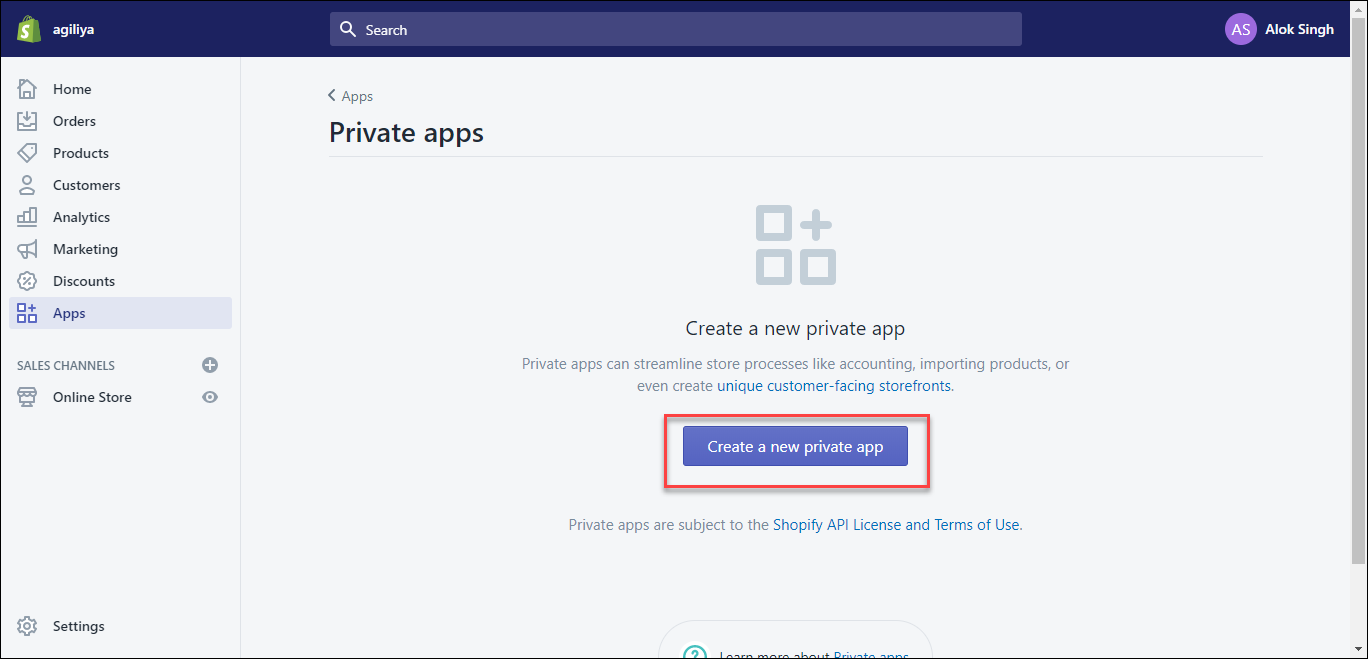
Enter Private app name and Email.
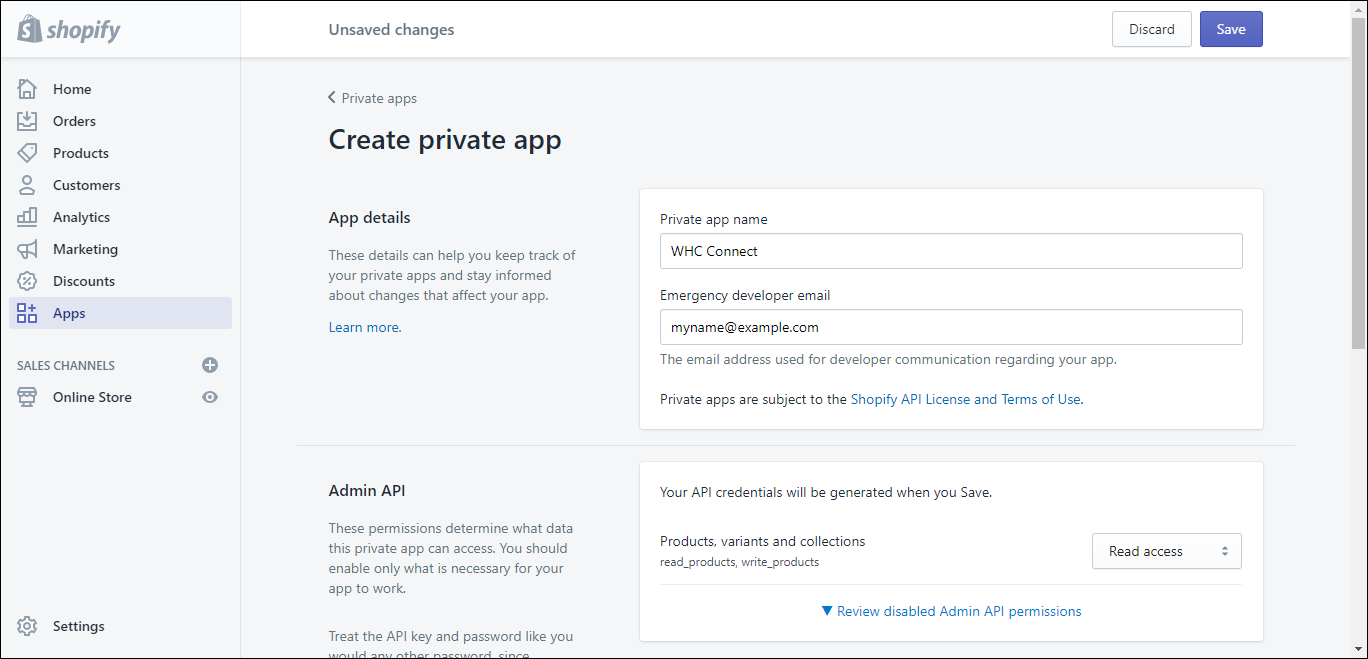
Select the permissions you want to grant to Warehouse Connector. Ensure that the following permissions are enabled based on the data you intend to sync with Warehouse Connector:
- Orders, transactions and fulfillments - Read and Write
- Order editing - Read
- Products, variants and collections - Read
- Inventory - Read and Write
- Customer details and customer groups - Read
- Locations - Read
Click Save to create the app.
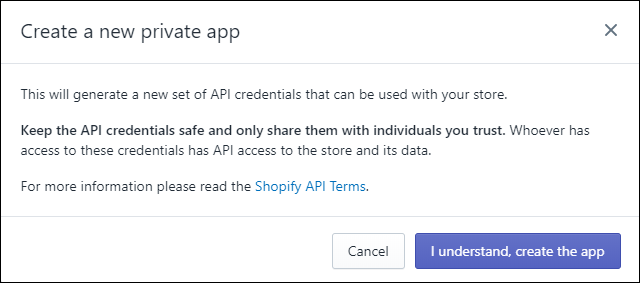
Click I understand, create the app to create the app.
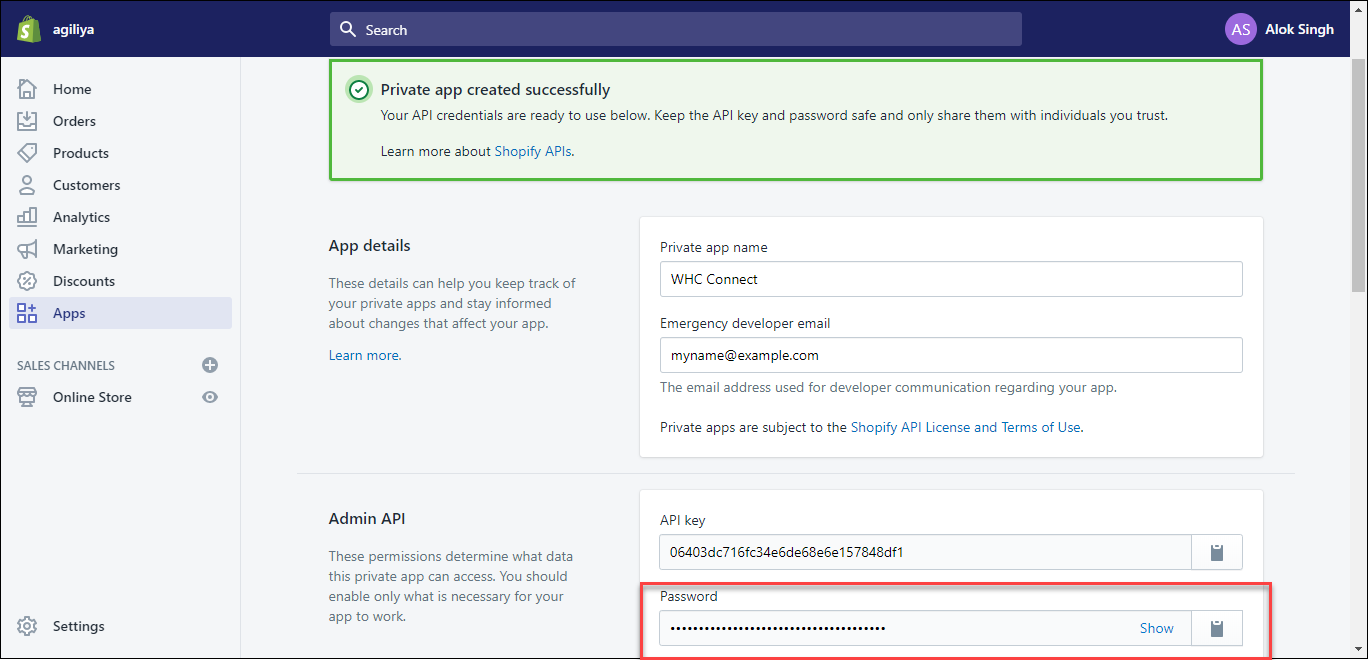
Your private app and its API key and password are generated. Navigate to the Admin API section to copy the API password which will be used to configure the Shopify Connector in Warehouse Connector.
You can now connect to Shopify using the store name and the API password.