
# How do I sync product data with the NetSuite store?
Once your NetSuite store is successfully connected, Warehouse Connector will start downloading products from your NetSuite store. The first pull can take between a few minutes to a couple of hours, depending on how many products you have in your store.
To sync products with your NetSuite store:
Click on the Settings icon and click Edit on the menu to provide Product Sync Settings details.
The NetSuite connector details page is displayed.
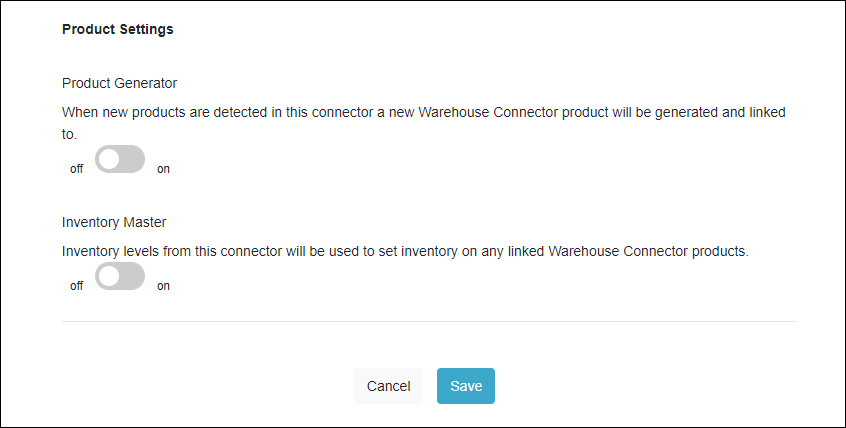
Enter the following details:
| Field | Description |
| Product Generator | Use this toggle to enable or disable the product generator feature. If this is enabled, then when a new product is detected in this connector, a new Warehouse Connector product is generated and linked to that product. |
| Inventory Master | Use this toggle to enable or disable the inventory master feature. If this is enabled, then inventory levels from this connector are used to set inventory on any linked Warehouse Connector products. |
- Click Save when you have finished configuration for all of the product settings.