Warehouse Connector Help Return to Warehouse Connector App
GitHub
  • Warehouse Connector Overview
  • Manage Sales Orders
    • Order Flow
    • Common Error States
    • How do I sort or search an order?
    • How do I create an order?
    • How do I update an order?
    • How do I print an order invoice?
    • How do I hold an order?
    • How do I unhold an order?
    • How do I archive an order?
    • How do I delete an order?
    • How do I clear order errors?
    • How do I export orders to a CSV file?
  • Manage Purchase Order
  • Manage Products
  • Manage Customers
  • Configure General Settings
  • Shopify Store Integration
  • Amazon Store Integration
  • NetSuite Integration
  • MasonHub Integration
  • GLO/NAV Integration
  • Impress Integration

# How do I archive an order?

When you fulfill or cancel an order, you can archive it to hide it from the Sales Orders list. Archiving makes it easy for you to keep track of the orders that are yet to be fulfilled.

Note: Only canceled or fulfilled orders can be archived.

To archive an order:

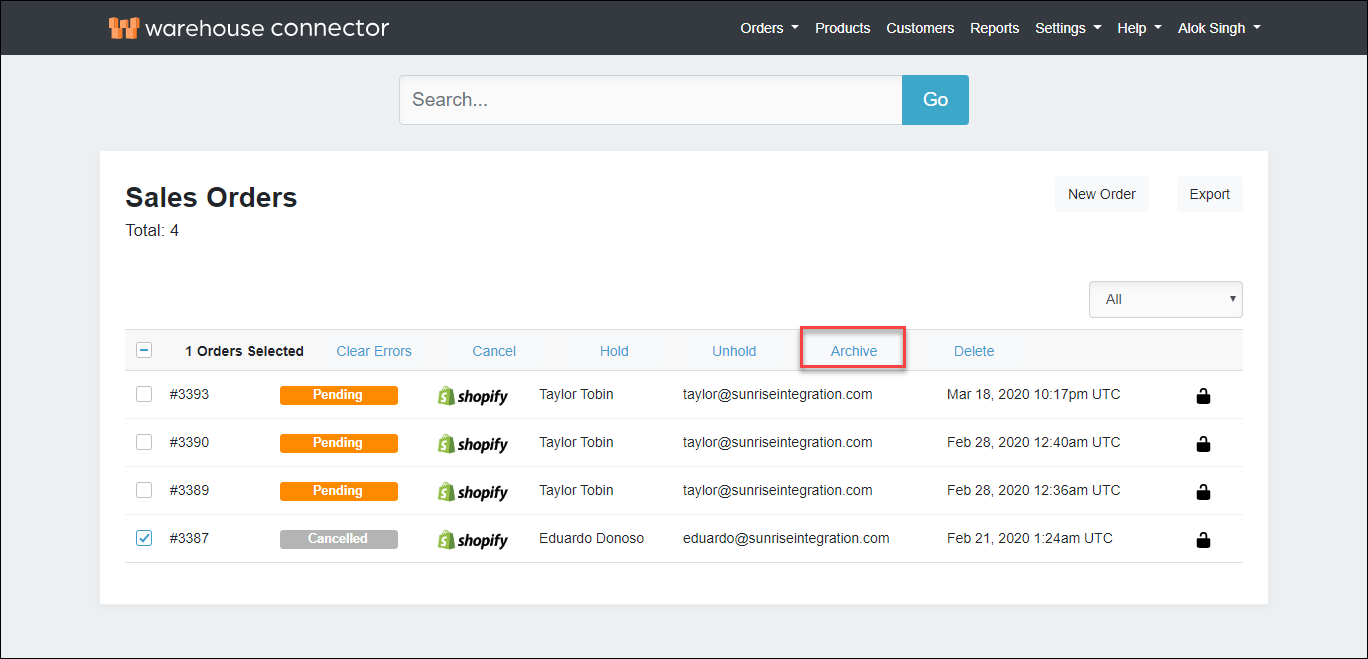
  1. On the Sales Orders page, select the order(s) that you want to archive.

  2. Click Archive to archive the selected order(s).archive order

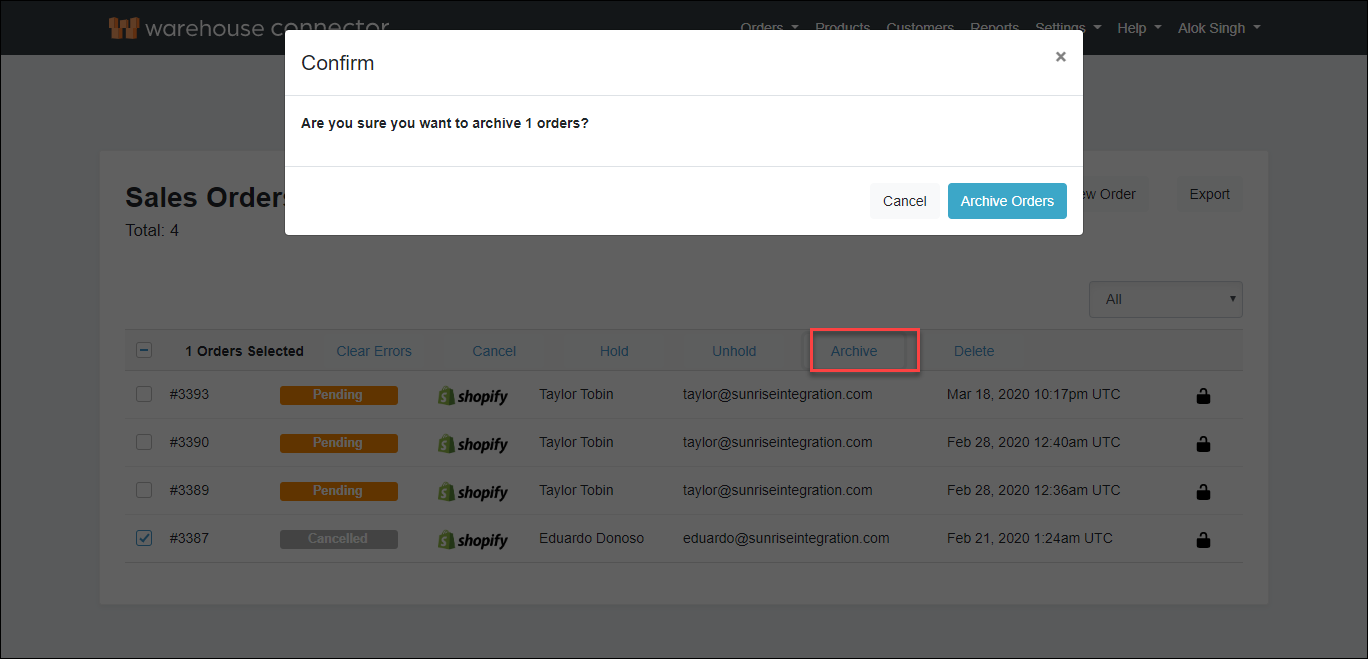
  3. On the Confirm dialog box, click the Archive Orders button to archive the order(s).confirm archiving

    The order is successfully archived in the Warehouse Connector. You can view archived orders by selecting Archived in the order status filter on the Sales Orders page.

← How do I unhold an order? How do I delete an order? →

Didn’t find what you are looking for?
Tell us about your project Learn how you can keep your business competitive in an app-connected world. File a support ticket File a support ticket for critical issues that require a higher level of support.
Warehouse Connector © 2020