# How do I unhold an order?
Once the order has been reviewed, you can unhold the order to let it be processed.
Once unheld, it will typically have the status of Pending.
To unhold an order:
- Use the search box to find your customer's order. You can search for the order based on the following information:
- order number
- customer name
- customer email address
Click the order in the search result to view its details.
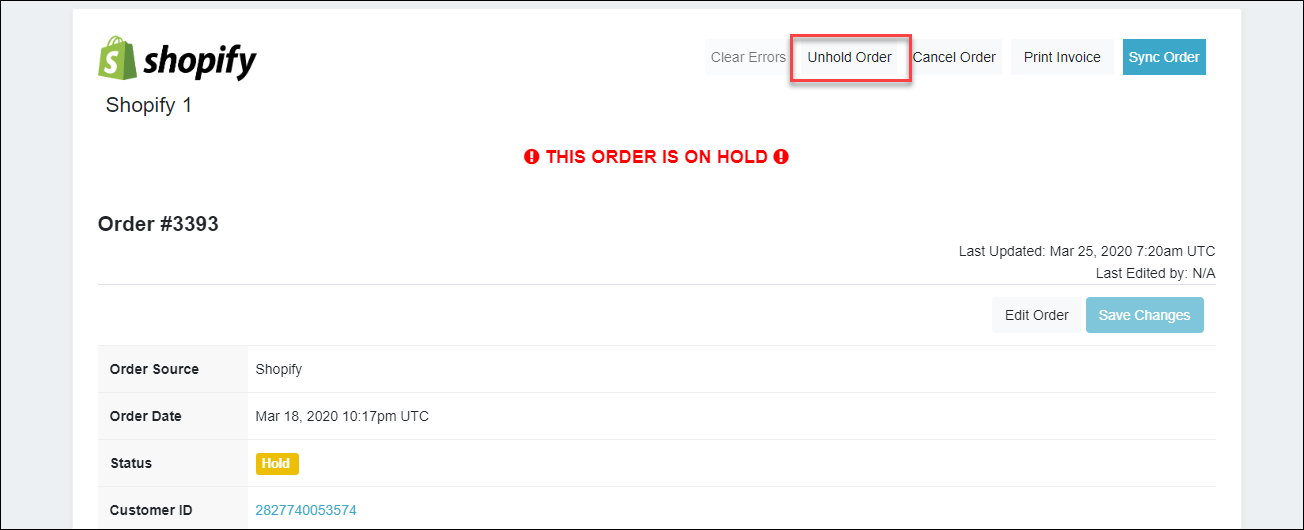
On the Order Details page, click Unhold Order to unhold the order.
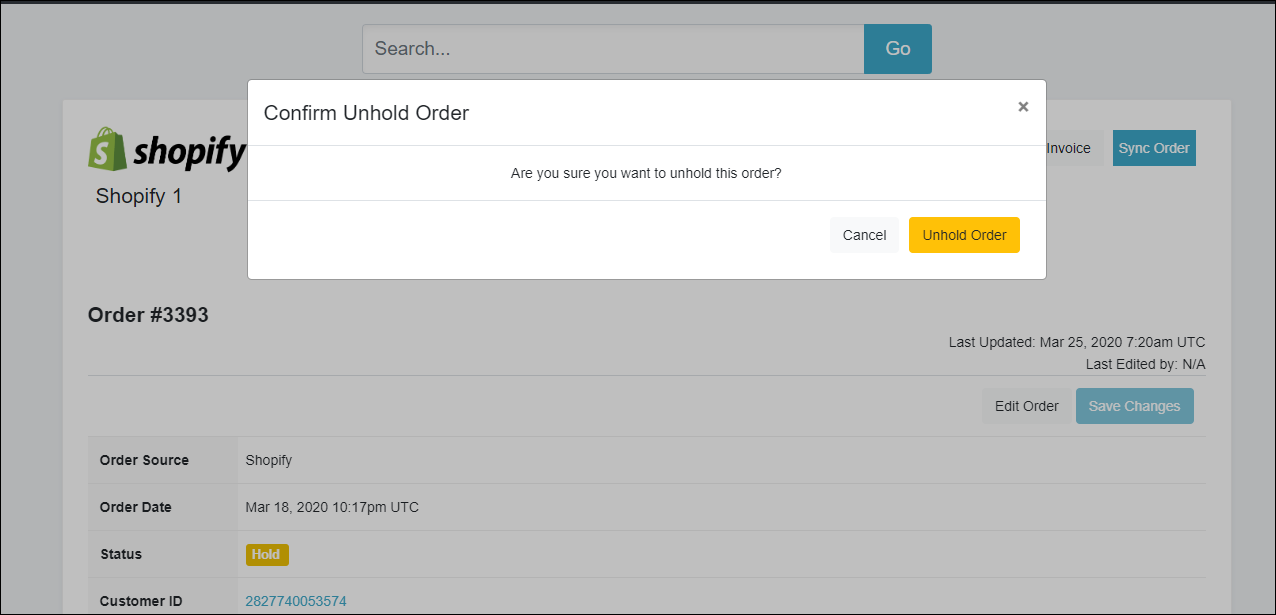
On the Confirm Unhold Order dialog box, click the Unhold Order button to confirm the unholding of the order.
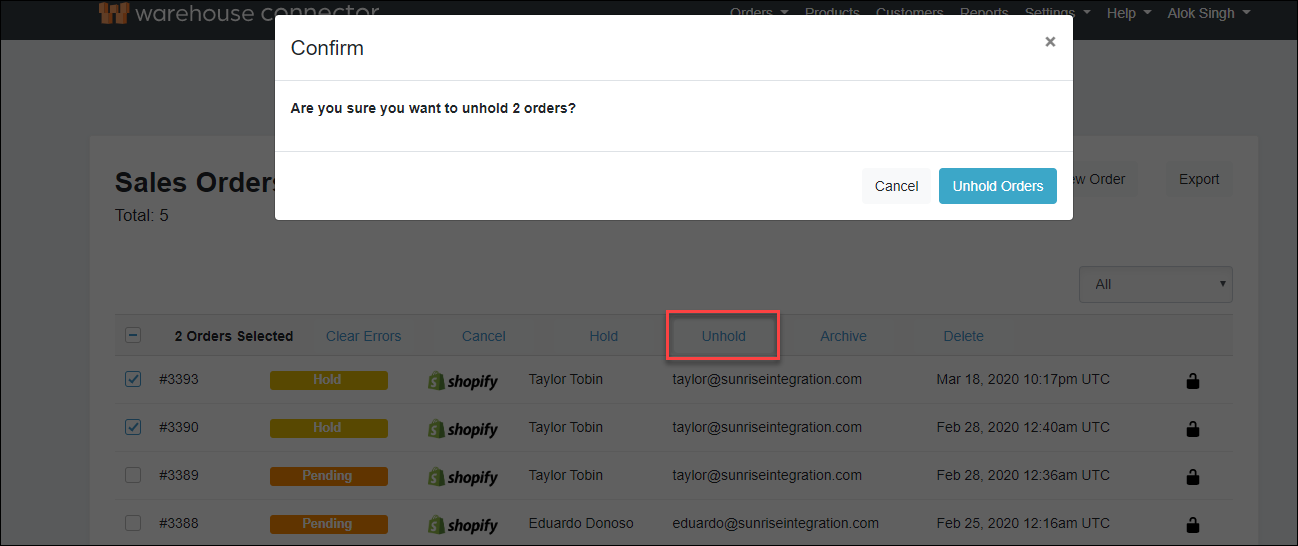
 Similarly, you can use the Unhold button on the Sales Orders page to unhold one or multiple orders.