
# How do I clear order errors?
Warehouse Connector allows you to clear any error that is associated with an order.
To clear errors in an order:
On the Sales Orders page, click the order for which you want to clear the error.
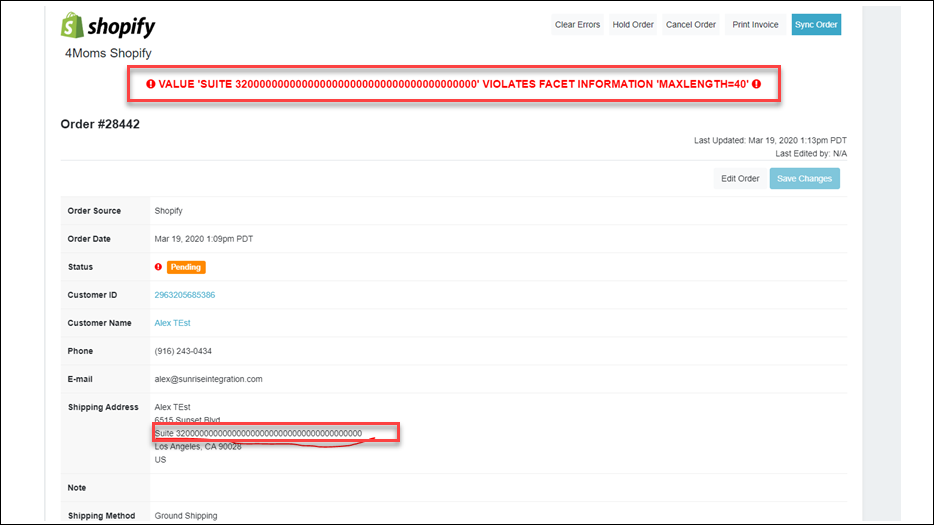
On the Order Details page, review the error. For example, in the following order the address is incorrect.
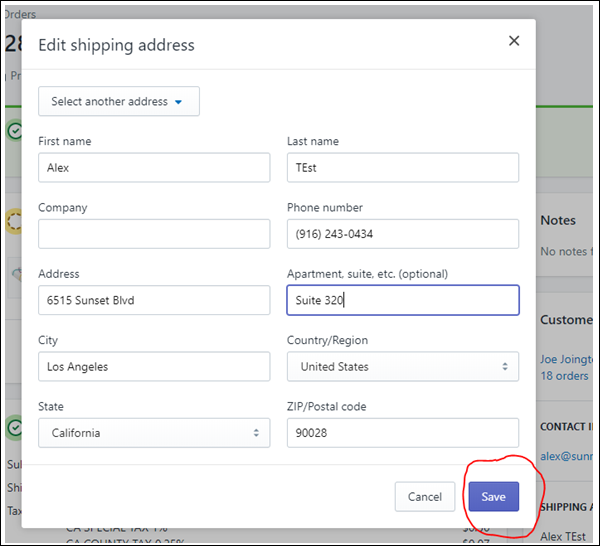
You need to fix the address in Shopify first. Navigate to the Shopify order and fix the shipping address.
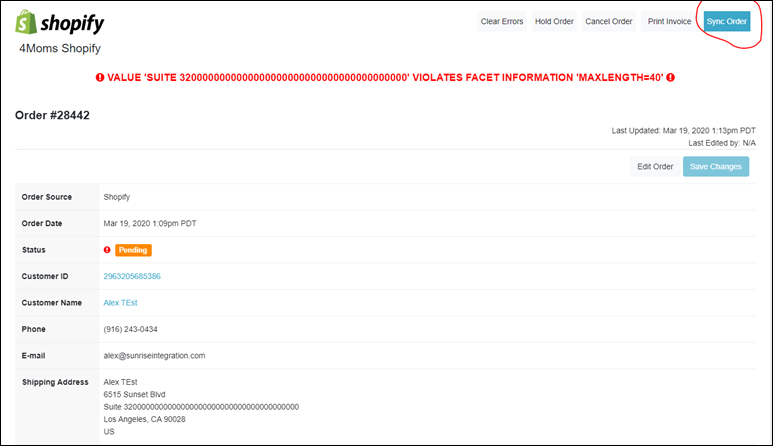
Click on the Sync Order button in Warehouse Connector to sync the modified address with Shopify.
Refresh the Order Details page. Now, you can see that the address is updated.
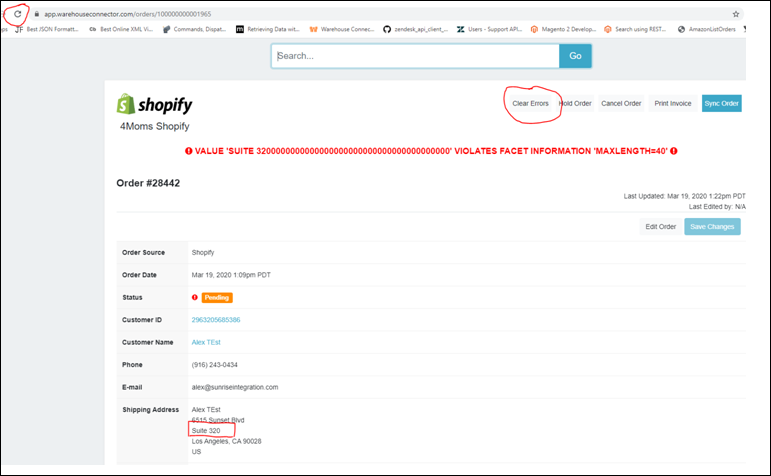
Click on the Clear Errors button to clear errors from the order.
On the Confirm dialog box, click the Clear Errors button to confirm the action.
The errors are successfully cleared in the Warehouse Connector.